Backing up a crypto wallet means keeping the information needed to regain control of your assets if your phone, computer, or wallet device is lost or damaged.
For traditional self-custodial wallets, this usually means protecting a seed phrase or private key. The challenge is creating a backup that remains available when you need it without exposing the credentials to someone else.
This guide explains how to back up a crypto wallet safely, where to store the backup, common mistakes to avoid, and how
Zelf Wallet approaches wallet recovery without relying on traditional seed phrase management.
What Should You Back Up in a Crypto Wallet?
The answer depends on how your wallet handles recovery.
A traditional self-custodial wallet may require a seed phrase, which can be used to recreate the wallet's underlying cryptographic keys. Some wallets also allow individual accounts to be recovered using private keys.
A wallet backup is therefore not a copy of your crypto itself. Your assets remain recorded on the blockchain. The backup preserves the credentials that allow you to control those assets.
Before backing up a wallet, identify exactly what the wallet uses for recovery. Backing up the wrong information may leave you unable to restore the wallet later.
How to Back Up a Crypto Wallet Safely
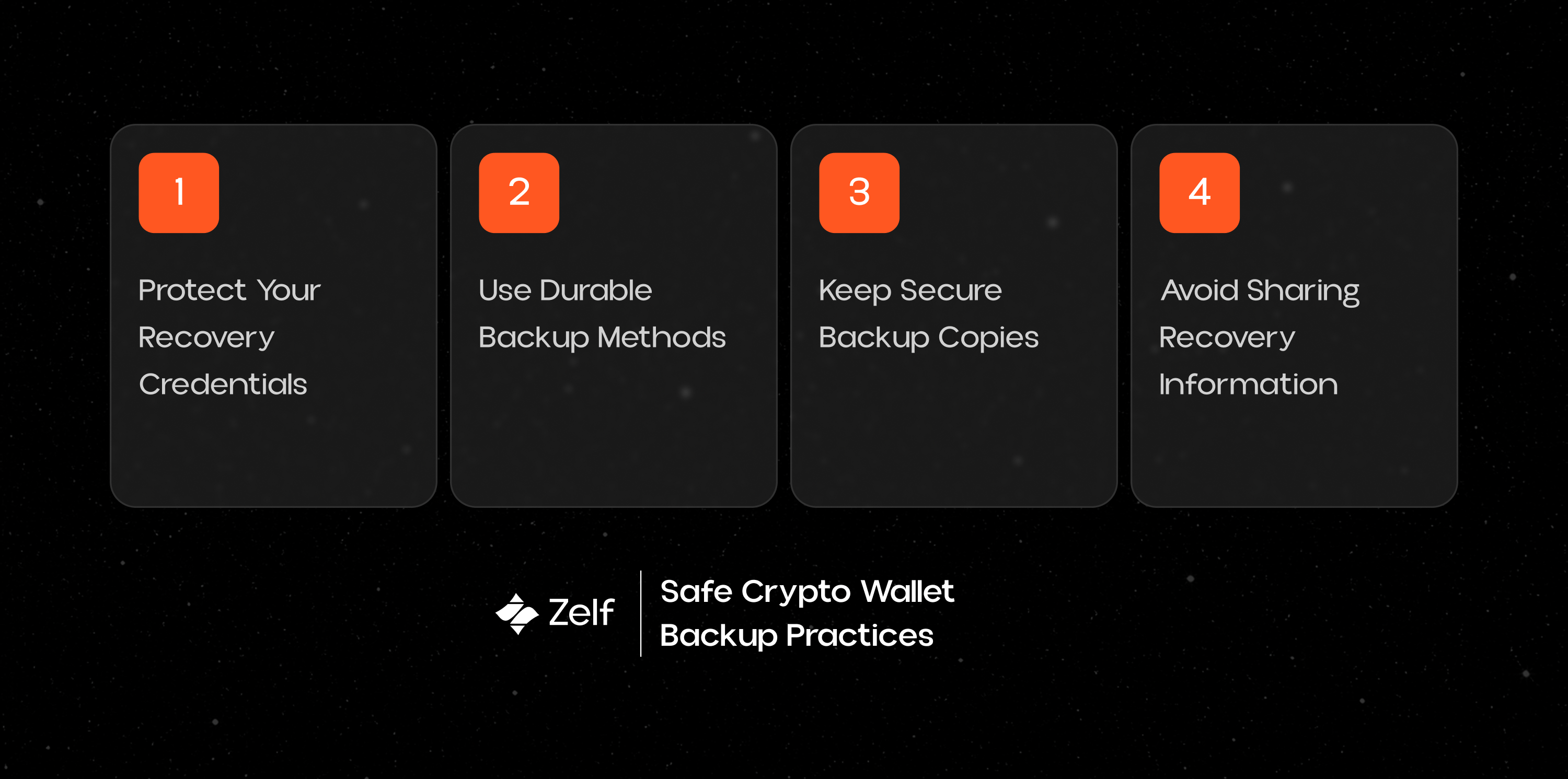
Protect Your Seed Phrase
If your wallet uses a seed phrase, treat it as the most sensitive information associated with the wallet.
Write it down accurately and keep it somewhere that is protected from unauthorized access. Avoid treating it like an ordinary password that can be copied into multiple apps or accounts.
The goal is to make sure you can access the phrase when you need it without making it available to anyone else.
Avoid Digital Copies of Your Seed Phrase
Saving a seed phrase in a screenshot, email, cloud document, messaging app, or notes application can create additional security risks.
A compromised account or device could expose the phrase without you realizing it.
For traditional wallets, an offline backup is generally a better choice than relying on an internet-connected copy.
Make the Backup Durable
A backup is only useful if it survives long enough to be needed.
Paper can be damaged by water, fire, or physical deterioration. Consider the environment where you are storing your backup and whether the information will still be readable in the future.
A durable backup can be especially important for long-term crypto holdings.
Keep Backup Copies Securely
Having only one copy creates a different problem: the backup itself can be lost or destroyed.
Multiple secure copies can reduce the risk of a single accident removing your only recovery option. They should not all be kept in the same place, however, because that simply creates another single point of failure.
Where Should You Store a Crypto Wallet Backup?
There is no single storage method that is right for every wallet.
For a traditional seed phrase, users often rely on offline physical storage because it keeps the recovery credential away from internet-connected systems.
The important thing is to choose a location that balances security, durability, and accessibility.
You should also avoid making the backup so difficult to access that you cannot use it when the original device is unavailable.
Can You Store a Crypto Wallet Backup on Your Phone?
You can technically store wallet recovery information on a phone, but relying on the phone as your only backup creates a major weakness.
Phones can be lost, stolen, damaged, reset, or compromised. If your wallet and its only recovery copy are both on that device, one incident could affect both access and recovery.
A stronger recovery strategy separates the ability to access the wallet from the device used to access it.
Common Crypto Wallet Backup Mistakes
Taking a Screenshot of Your Seed Phrase
A screenshot may automatically sync with cloud services or appear on other devices connected to the same account.
That creates additional places where your recovery credential could potentially be exposed.
Sending Your Seed Phrase to Yourself
Emailing or messaging a seed phrase creates another copy and puts it inside a communication system that was not designed to protect wallet credentials.
A legitimate wallet provider should never need you to send your recovery phrase through email, chat, or social media.
Storing Everything in One Place
Keeping your wallet, phone, seed phrase, and backup together can create a single point of failure.
If that location is lost, stolen, or damaged, your recovery setup could disappear at the same time.
Sharing Your Backup With Someone
Your recovery credentials should not be shared with friends, support agents, recovery services, or anyone claiming to help you restore a wallet.
Anyone who obtains a traditional seed phrase or private key may be able to control the associated assets.
How Does Zelf Wallet Approach Wallet Backup?
Zelf Wallet uses a different recovery model that does not make a traditional seed phrase the center of wallet access.
HumanAuthn provides proof-of-humanity through live facial biometric verification and runs on-device. During authentication, it works with previously generated entropy to reconstruct the cryptographic material needed to access the user's Zelf ID.
The user's private key material is securely wrapped into a Zelf QR. It is verifiable, non-biometric, and portable.
Unlike a traditional seed phrase, the Zelf QR can be stored in several places. It can be stored on IPFS, kept as a physical backup, or saved in a photo gallery. The credential does not contain biometric data or usable private keys in plaintext, making it possible to replicate the backup without exposing those secrets.
When wallet access is needed, the user retrieves the Zelf QR and verifies their face through HumanAuthn. After successful biometric liveness verification, the required cryptographic material can be reconstructed on-device, allowing wallet access to be restored.
This gives users a recovery option that does not depend on keeping a paper seed phrase safe for the life of the wallet.
Conclusion
The safest way to back up a crypto wallet depends on the wallet's recovery architecture.
Traditional self-custodial wallets generally require careful protection of a seed phrase, private key, or other recovery credential. That means keeping the backup secure, durable, and available without exposing it to online threats.
Zelf Wallet takes a different approach by using a portable Zelf QR and HumanAuthn-based biometric authentication. The Zelf QR can be stored on IPFS, as a physical backup, or in a photo gallery, while wallet access depends on successful live biometric verification.
Back Up Your Wallet with Zelf Wallet
Crypto recovery should not depend on keeping a fragile secret in one place.
Zelf Wallet gives you a different way to handle wallet recovery, combining a portable Zelf QR with face-based HumanAuthn authentication.
Explore Zelf Wallet and experience a simpler approach to self-custodial recovery.