Use Solscan to check Solana wallet balances, track SOL transfers, inspect tokens and NFTs, and understand transactions and network statistics.
Solscan is a blockchain explorer for Solana. It lets you search a public wallet address to check its balance, review transfers, and inspect tokens or NFTs. You can also search a transaction ID to check what happened to a payment.
For a basic lookup, you only need a public address or transaction ID. You do not need to connect your wallet or provide a private key.
Key Takeaways
Check an address: View its SOL balance and other token holdings.
Track payments: Find a transfer’s destination, amount, and transaction result.
Understand activity: A transaction can contain several actions, including multiple transfers.
Explore assets: Look up token information and NFT records.
Check the network: View activity metrics and validator information.
1. How to Check a Wallet Balance on Solscan
Copy the public Solana address from your wallet’s receiving screen.
Visit solscan.io and paste it into the search bar.
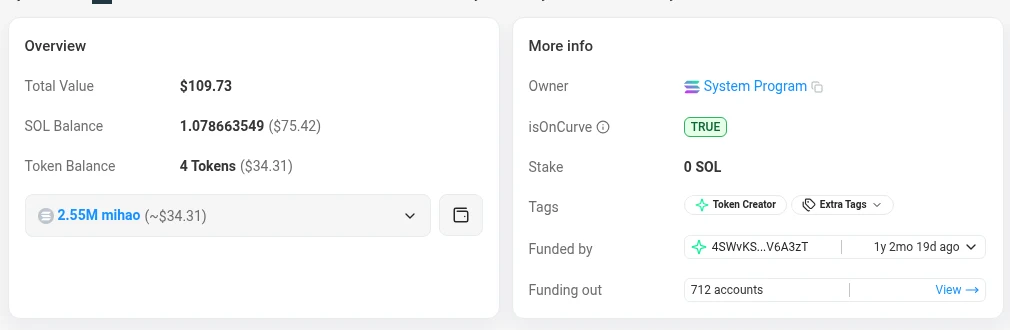
Open the account page and check the SOL balance.
Review token holdings for other assets associated with the address.
For example, an address might hold SOL and USDC. A low SOL balance does not necessarily mean it holds no other assets. Solscan: Account Overview
Step 1: The account page shows the SOL balance and every token the address holds.
2. How to Track SOL Transactions and Transfers
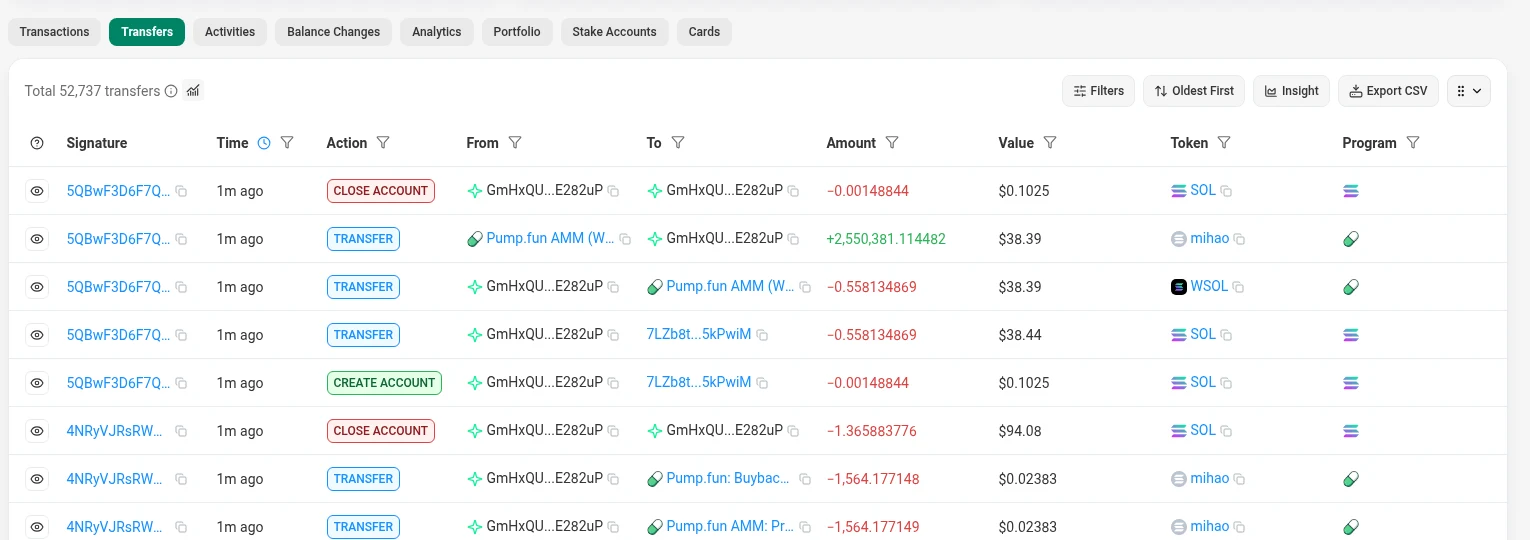
To find an incoming or outgoing SOL payment, search the wallet address and open its SOL transfer history.
Look for the sender, recipient, amount, and time. Open the linked transaction signature to see the complete transaction record.
If you already have the transaction ID, also called a transaction signature, paste it directly into Solscan’s search bar.
On the transaction page, check:
Result: Did it succeed or fail?
Confirmation status: Has it been finalized?
Transfer details: Are the destination and amount correct?
Fee and time: What did it cost, and when was it processed?
Success and finalization mean different things. Success describes execution; finalization describes network confirmation. A failed transaction can still appear as finalized, so check both fields. Solscan: Transaction Details
Step 2: The SOL Transfers tab lists each payment with its sender, recipient, amount and time.
Step 2: A transaction page shows whether it succeeded, its confirmation status, fee and time.
3. What Is the Difference Between Transactions and Transfers?
A transaction is a set of instructions submitted to the blockchain. A transfer is an action that moves an asset between accounts.
View
What it helps you understand
Transactions
The broader activity, such as transfers, swaps, or interactions with applications
SOL Transfers
Movements of native SOL
Token Transfers
Movements of Solana tokens, such as USDC
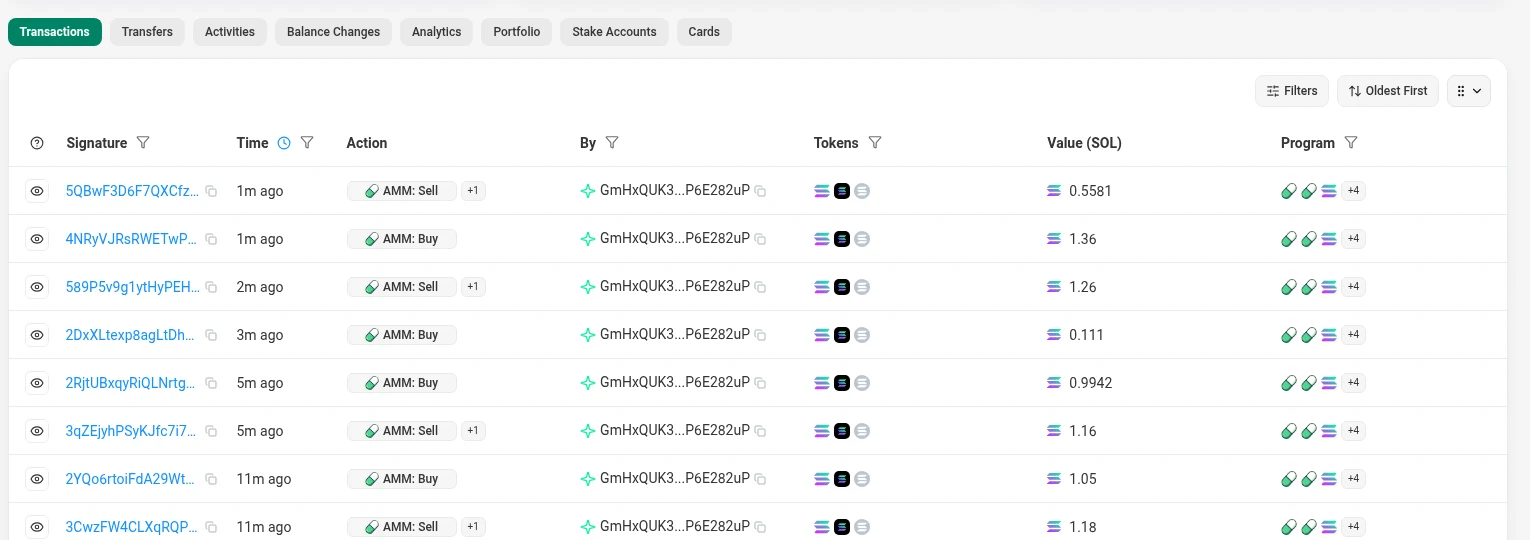
One transaction can contain several transfers. For example, a token swap may move one token out and another into the wallet within the same transaction. Other transactions may perform actions without transferring tokens.
Use transfer history to follow asset movements. Open the full transaction when you need context. Solana: Transactions
Step 3: The Transactions, SOL Transfers and Token Transfers tabs show the same wallet from different angles.
Step 3: One swap transaction can move several tokens at once.
4. How to Check Token Information
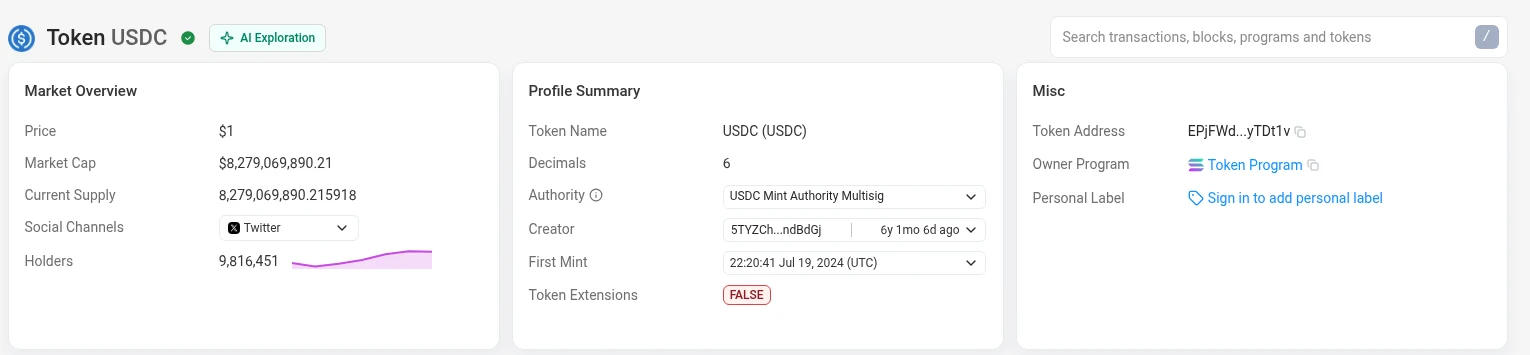
To research a token, paste its mint address into Solscan’s search bar. This identifies the specific token more reliably than its name or ticker.
On the token page, review:
Name, symbol, and mint address
Supply and number of holders
Recent transfers
Price and market information, where available
You can also open a token from a wallet’s holdings to inspect its details. A token appearing on an explorer does not establish that it is legitimate; compare its mint address with the project’s official information. Solscan: Token Page
Step 4: A token page, here USDC, shows its mint address, supply and holders.
5. How to Check NFTs
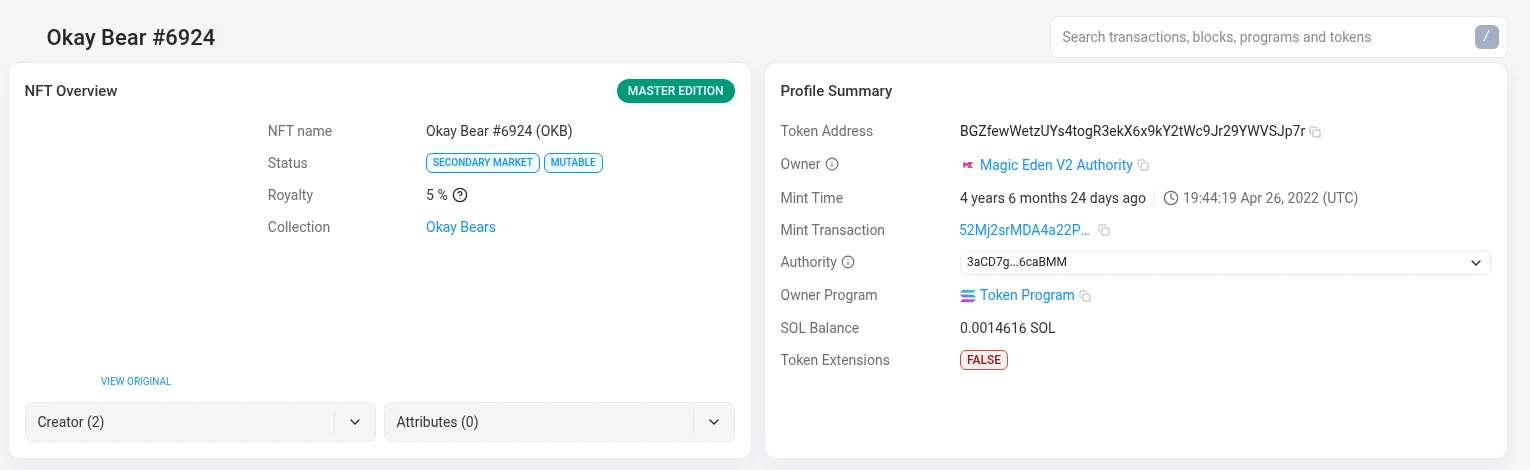
Search the wallet address and open its NFT holdings, where available. Select an NFT to inspect its record, identifiers, and available ownership or transfer information.
You can also search an NFT’s mint address directly.
Check the specific asset and collection information rather than relying only on its image or name. If an NFT is missing from the display, that alone does not prove it was lost—explorer coverage and asset formats can differ. Solscan: Asset Holdings
Step 5: An NFT page shows the asset record, its owner and its history.
6. How to Check Solana Network Metrics
For a broader view, visit Solscan’s homepage and network dashboards.
Useful indicators include:
Transactions per second (TPS): A measure of network throughput.
Block and slot information: A view of the network’s progress.
Average transaction fees: An indication of recent transaction costs.
Epoch and staking figures: Context about the network’s staking cycle and stake.
TPS measures throughput, not how long your individual payment takes to finalize. No single statistic establishes the network’s overall health. Solscan Homepage
Checking Validators
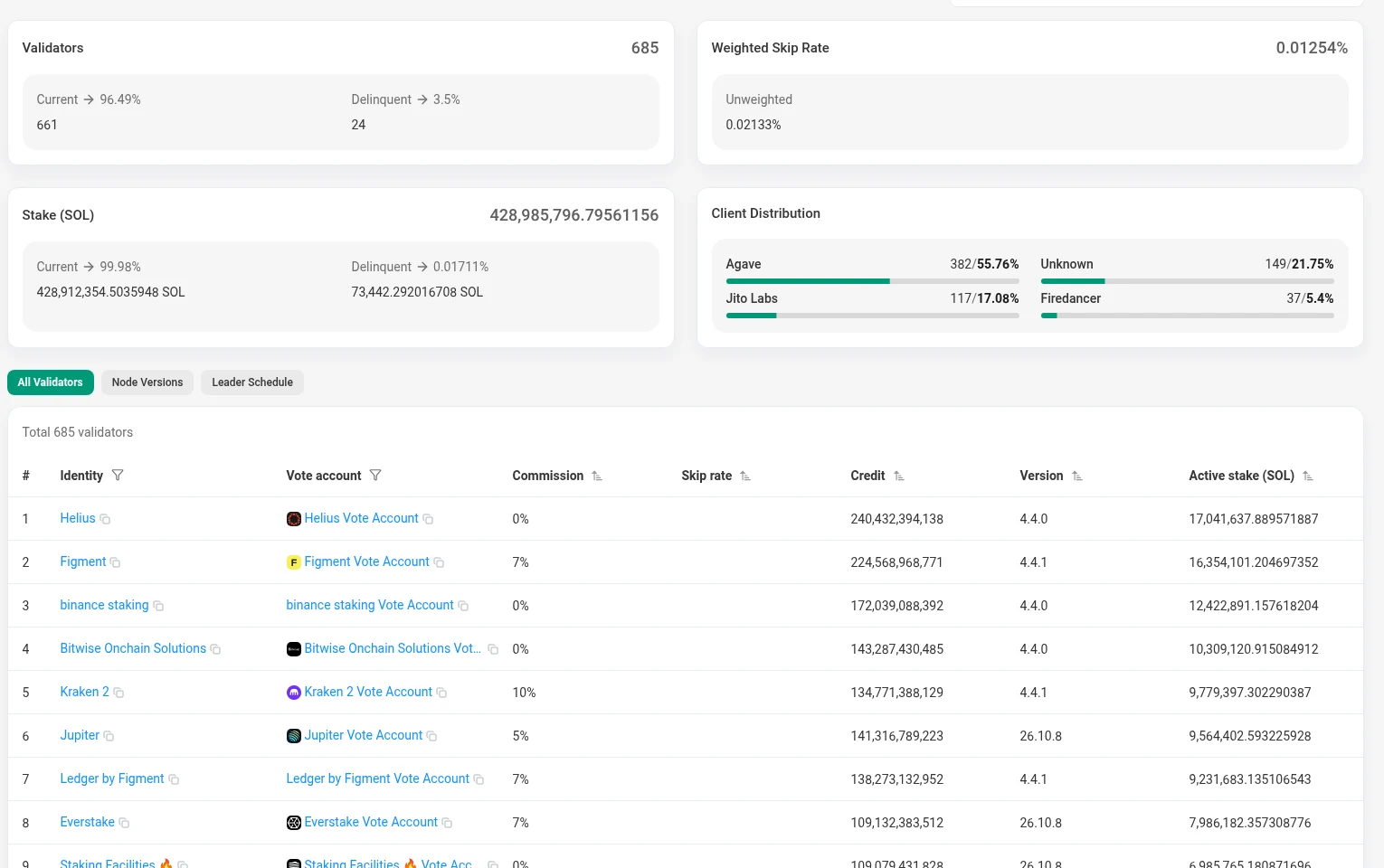
Solscan’s validator pages provide information about active and delinquent validators, stake, and performance measures such as skipped slots.
These details help users understand network participation and compare validators. Validator consensus voting should not be confused with voting in a token project’s governance system. Solscan: Validators
Step 6: The Solscan homepage tracks live Solana metrics such as TPS, fees and the current epoch.
Step 6: The validators page lists active and delinquent validators with their stake and skipped slots.
What if a Balance or Transfer Looks Wrong?
Check that you searched the intended address and selected the correct network. Review token holdings as well as SOL, and use the transaction signature to inspect the payment.
If the activity is recent, refresh the page or compare it with another explorer. An explorer displays blockchain records; it cannot reverse a payment or move funds for you.
An Alternative to Solscan
Solana Explorer is another option for checking Solana addresses and transactions.
Paste the same public address or transaction signature into its search bar. For ordinary wallet activity, select Mainnet Beta, the live network, rather than a test network.
Start With the Address
For most readers, the quickest approach is simple: search the public address, check SOL and token holdings, then open transfer history. Use the full transaction record when you need to understand exactly what happened.
Frequently Asked Questions
Is Solscan a Wallet?
No. It displays blockchain records. A wallet manages access to accounts and authorizes transactions.
Can I Check Another Person’s Address?
Yes. Solana’s public records allow address lookups, although an address does not necessarily identify its owner.
Do I Need to Connect My Wallet?
No. Basic balance and transaction searches require only public information. Never provide your recovery phrase or private key for an explorer lookup.
Does Solscan Show Assets on Other Networks?
Solscan focuses on Solana. Use an explorer for the relevant blockchain when checking assets elsewhere.